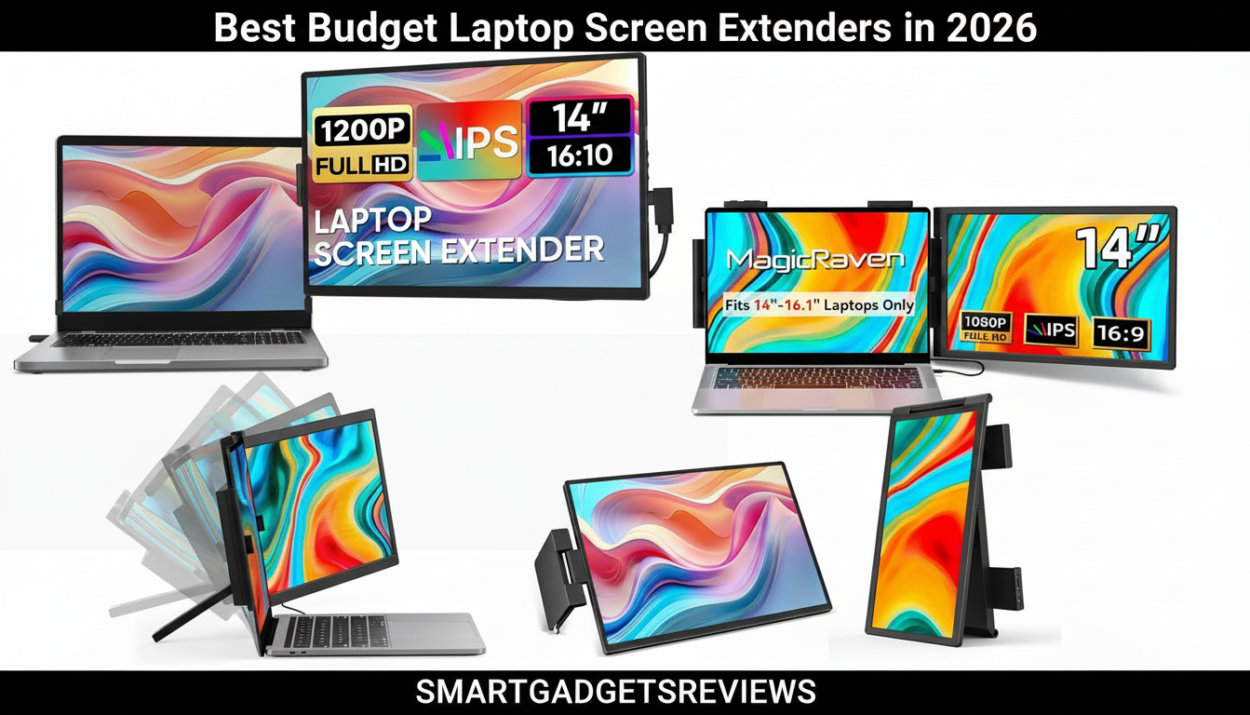
Top affordable portable monitors for remote workers and students (Best Budget Laptop Screen Extenders in 2026)
Working on a single laptop screen can quickly become frustrating. Whether you’re managing emails, attending video meetings, researching online, or editing documents, switching between multiple tabs slows down productivity.
That’s why many professionals are now using laptop screen extenders. These portable displays attach to your laptop and instantly create a dual-screen or even triple-screen workspace, making multitasking much easier.
The good news is that you don’t need to spend hundreds of dollars to get one. In this guide, we’ll explore the best budget laptop screen extenders in 2026, perfect for remote workers, freelancers, students, and digital nomads looking for an affordable productivity upgrade.
Why Budget Screen Extenders Are Worth It
Laptop screen extenders used to be expensive accessories. Today, several brands offer high-quality portable monitors under budget-friendly prices, making them accessible to almost anyone.
Here are a few reasons they’re worth considering:
Improved multitasking
Two screens allow you to keep important apps open simultaneously.
Better remote meetings
You can keep video calls on one screen while viewing notes or presentations on another.
Ideal for travel
Many extenders are lightweight and designed to fit inside a laptop bag.
Affordable productivity upgrade
Compared to buying a desktop monitor, portable extenders provide flexibility and portability.
Quick Comparison: Best Budget Laptop Screen Extenders
| Product | Screen Size | Type | Best For |
|---|---|---|---|
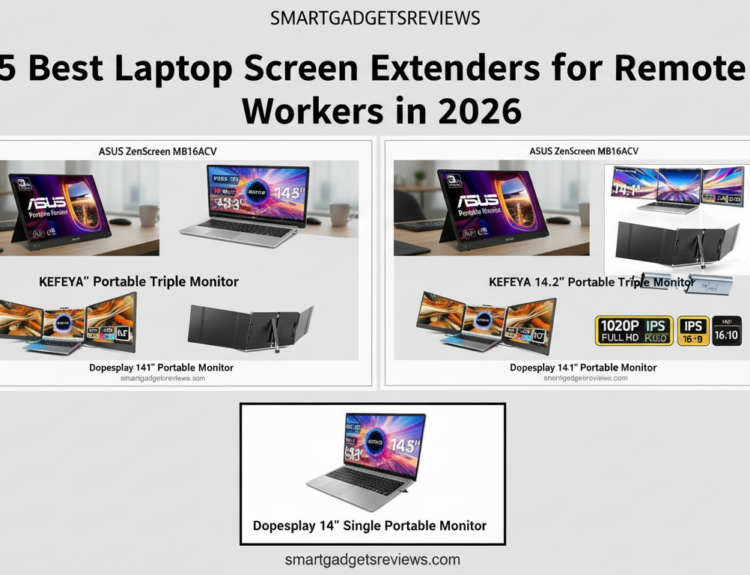
| KEFEYA Portable Triple Monitor | 14.2″ | Triple screen extender | Best budget triple setup |
| Dopesplay 14″ Laptop Screen Extender | 14″ | Dual screen extender | Best lightweight option |
| MAGICRAVEN 14″ Laptop Screen Extender | 14″ | Dual screen extender | Best value |
1. KEFEYA 14.2″ Portable Triple Monitor
Best Budget Triple Laptop Screen Extender
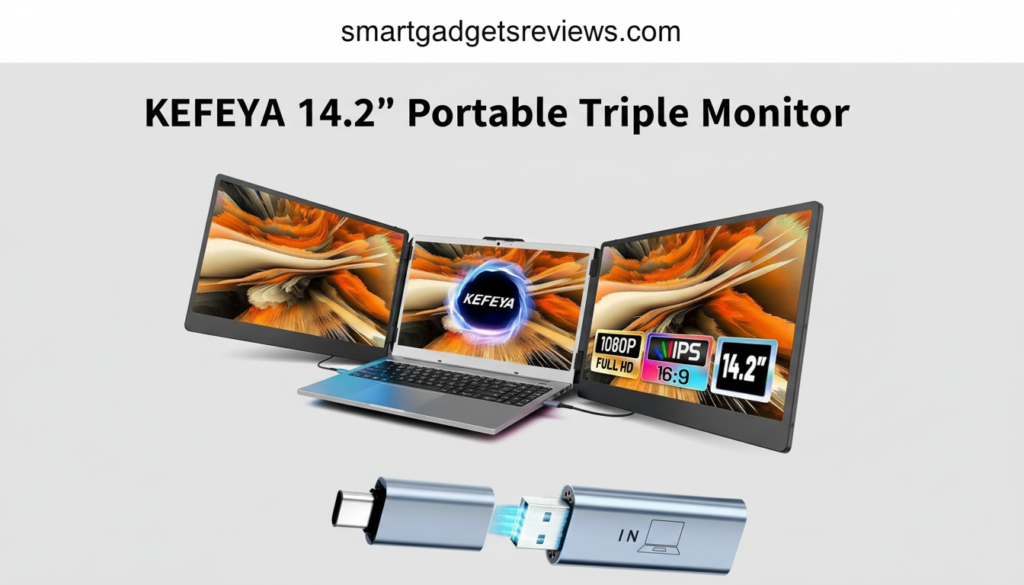
If you want a full triple-screen workstation without spending a fortune, the KEFEYA Portable Triple Monitor is one of the best affordable options available in 2026.
This extender attaches to your laptop and adds two additional 14.2-inch displays, allowing you to run multiple applications simultaneously.
Key Features
- Dual 14.2-inch Full HD displays
- 1920 × 1080 resolution
- Foldable and portable design
- USB-C and HDMI connectivity
- Compatible with most 13–17 inch laptops
Why It’s Great for Budget Buyers
Many triple monitor extenders can be expensive, but this model offers excellent functionality at a lower price point. For remote workers managing several tools at once, it can significantly improve workflow.
Ideal For
- Remote workers
- Digital marketers
- Online teachers
- Students managing research and notes
Pros
- Affordable triple-screen setup
- Easy installation
- Good display quality
Cons
- Slightly heavier than dual-screen options
2. Dopesplay 14″ Laptop Screen Extender
Best Lightweight Budget Screen Extender
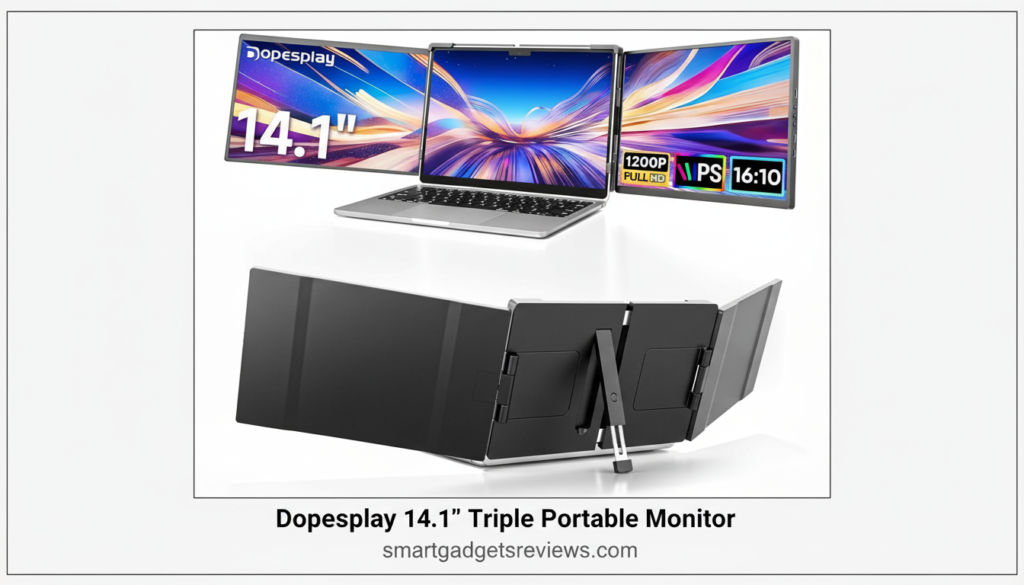
For people who travel frequently or work from cafés and co-working spaces, portability is essential. The Dopesplay 14-inch screen extender offers a simple dual-screen solution that is lightweight and easy to carry.
Key Features
- 14-inch Full HD IPS display
- Plug-and-play connectivity
- Compatible with most laptops
- USB-C and HDMI support
- Slim folding frame
Why It’s a Good Budget Choice
This extender focuses on simplicity and portability, making it a great option for users who only need one additional screen.
Best Use Cases
- Writers and bloggers
- Freelancers
- Remote employees
- Students studying online
Pros
- Very portable
- Affordable
- Quick setup
Cons
- Only one extra screen
3. MAGICRAVEN 14″ Laptop Screen Extender
Best Value Laptop Screen Extender
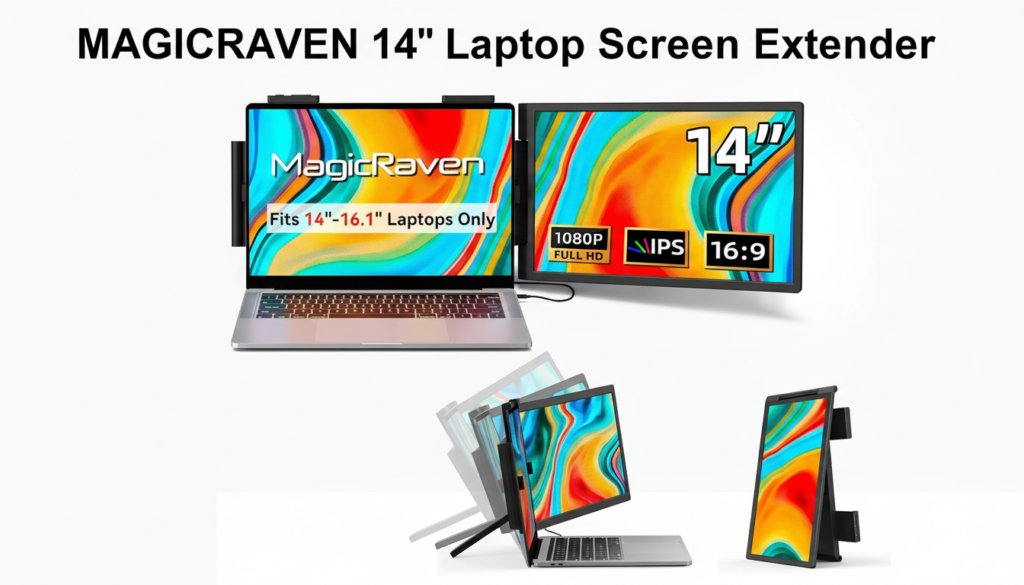
The MAGICRAVEN laptop screen extender is another affordable option that delivers a solid balance of performance, build quality, and price.
It provides a convenient way to expand your laptop display without investing in expensive hardware.
Key Features
- 14-inch Full HD display
- Adjustable viewing angle
- Portable folding design
- USB-C and HDMI compatibility
- Works with Windows and macOS
Why It Offers Great Value
For budget-conscious buyers, the MAGICRAVEN extender delivers reliable performance for everyday tasks like writing, browsing, and communication tools.
Ideal For
- Remote workers
- Freelancers
- Students
- Digital nomads
Pros
- Good display quality
- Affordable price
- Durable frame
Cons
- Slightly thicker than some competitors
How to Choose a Budget Laptop Screen Extender
Before buying a portable monitor extender, consider a few key factors to make sure it fits your needs.
Screen Size
Most portable extenders range between 13 and 15.6 inches.
- Smaller screens are easier to travel with
- Larger screens provide more workspace
Connectivity
Modern extenders typically connect using:
- USB-C
- HDMI
- Thunderbolt
USB-C is usually the easiest option because it allows power and video through one cable.
Compatibility
Before purchasing, check whether your laptop supports:
- USB-C display output
- multiple external displays
- HDMI connections
Most modern laptops support at least one external display.
Portability
If you travel frequently, choose an extender that is:
- lightweight
- foldable
- easy to pack in a laptop bag
Portable designs are ideal for remote workers and digital nomads.
Pros and Cons of Budget Screen Extenders
Advantages
- Affordable productivity upgrade
- Portable and travel-friendly
- Easy setup for most laptops
Disadvantages
- Smaller screens than desktop monitors
- Some models may require multiple cables
- Build quality varies between brands
Frequently Asked Questions
Are budget laptop screen extenders good?
Yes. Many affordable screen extenders provide excellent functionality for everyday tasks such as browsing, writing, video calls, and multitasking.
Can you use a screen extender with a MacBook?
Yes. Most portable monitors work with MacBooks through USB-C or Thunderbolt connections. Always check compatibility with your specific MacBook model.
Do laptop screen extenders affect laptop performance?
No. Screen extenders mainly use your laptop’s display output and generally have minimal impact on performance.
Are portable monitors good for travel?
Yes. Many models weigh less than two pounds and fold flat, making them perfect for remote workers who travel frequently.
Conclusion
Laptop screen extenders are one of the most useful productivity tools for remote workers and students. Even budget models can dramatically improve workflow by allowing users to manage multiple applications at once.
Best Budget Laptop Screen Extenders in 2026
- Best Budget Triple Setup: KEFEYA Portable Triple Monitor
- Best Lightweight Option: Dopesplay 14″ Screen Extender
- Best Value Choice: MAGICRAVEN 14″ Screen Extender
If you’re tired of juggling multiple windows on a single screen, investing in a budget laptop screen extender can be a simple and effective upgrade to your workspace.
You can also check other top laptop screen extenders on our blog page, at SMART GADGETS REVIEWS , we give you in-dept review on your favorite tech gadget.